Run powerful SMS campaigns from real devices
Import contacts from Excel, personalize messages with dynamic variables, schedule delivery, and track every campaign in real time — all dispatched through your own Android phones.
From contacts to delivery in four steps
No complex setup. No recipient limits. Launch a campaign in under two minutes.
Import recipients
Upload an Excel or CSV file with phone numbers and custom fields. Invalid numbers are flagged automatically.
Compose your message
Write your text or pick a saved template. Use variables like {{name}} for personalization.
Send or schedule
Launch immediately or schedule for the perfect time. Your Android devices handle the dispatch.
Track results
Watch delivery progress live. See sent, delivered, and failed counts per campaign with trend charts.
Manage every campaign from one place
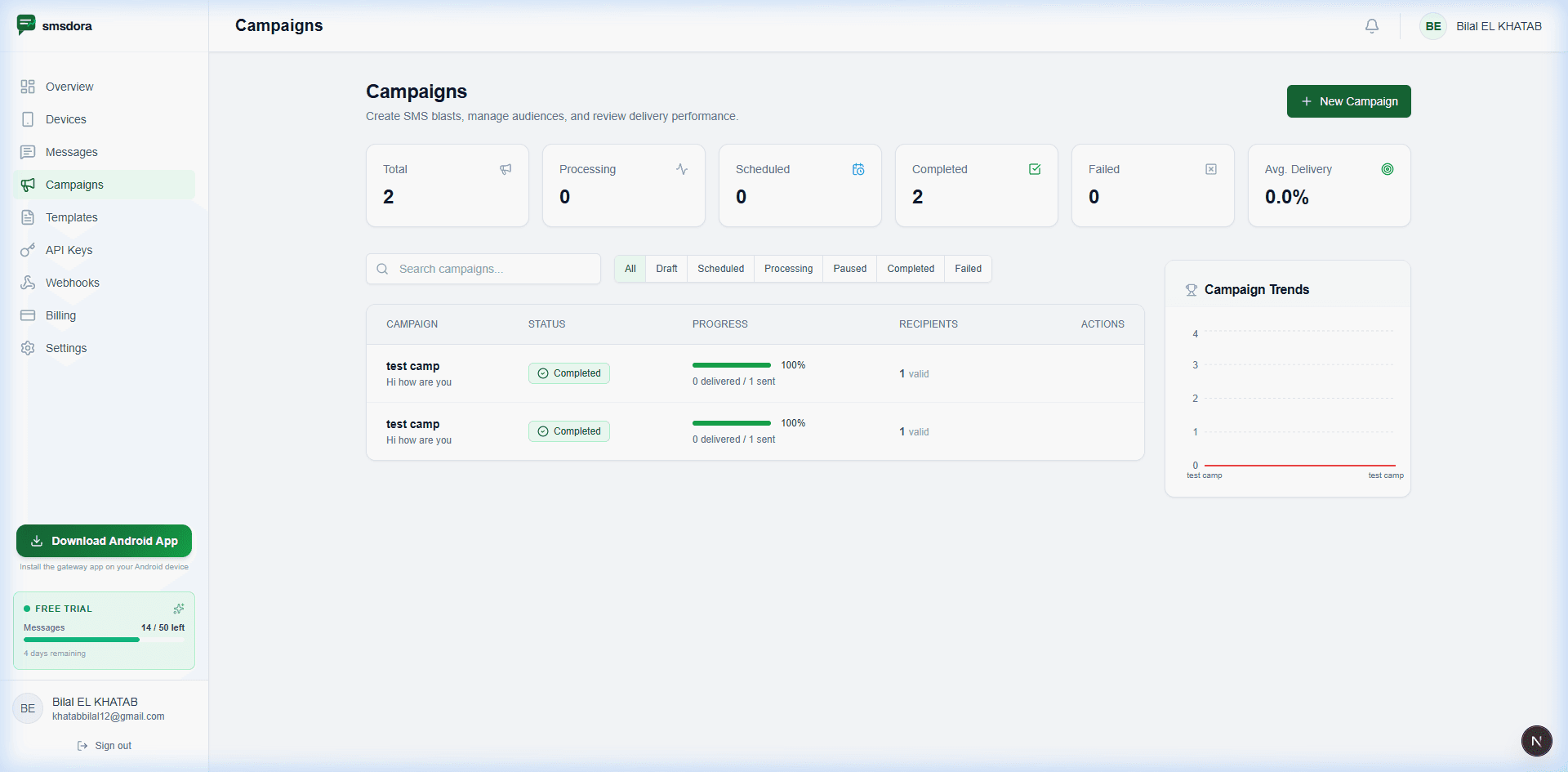
See all your campaigns at a glance — total, processing, scheduled, completed, and failed. Filter by status, search by name, and drill into any campaign for per-recipient delivery details.
- Live progress bars with delivery counts
- Status filters: Draft, Scheduled, Processing, Completed, Failed
- Campaign trends chart for historical analysis
- One-click pause and resume on active campaigns
- Avg. delivery rate metric per campaign
Personalize at scale with reusable templates
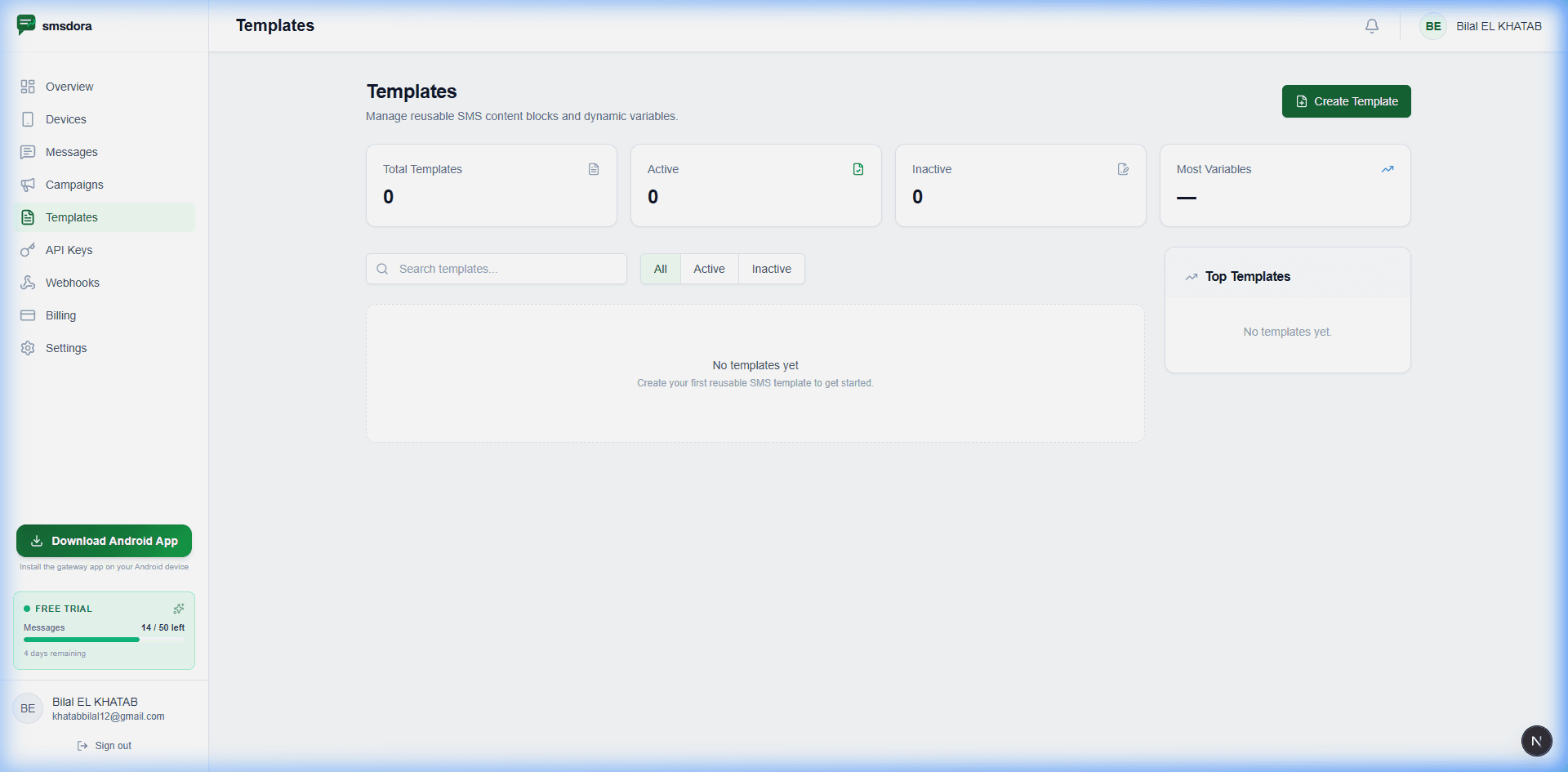
Build a library of message templates with dynamic variables that auto-fill from your contact data. Reuse templates across campaigns — no retyping needed.
- Dynamic variables: {{name}}, {{company}}, custom fields
- Active/Inactive template lifecycle management
- Track which templates perform best
- Reuse templates across unlimited campaigns
- Preview personalized output before sending
Import thousands of contacts from Excel
Upload your contact list as an Excel or CSV file. smsdora validates phone numbers, maps custom columns to template variables, and flags invalid entries so your campaign reaches the right people.
| Phone | Name | City |
|---|---|---|
| +234 803 012 3456 | Adaeze Okonkwo | Lagos |
| +234 802 234 5671 | Emeka Balogun | Abuja |
| +234 805 661 2233 | Funke Adeyemi | Port Harcourt |
| ... 1,244 more rows | ||
Everything for high-impact SMS marketing
A complete campaign toolkit — from audience management to delivery analytics.
Excel & CSV Import
Upload contact lists with phone numbers and custom fields. Auto-validation ensures only valid numbers make it to dispatch.
Dynamic Variables
Personalize each message with {{name}}, {{company}}, or any custom field from your import file.
Template Library
Save and reuse message templates across campaigns. Track which templates drive the best engagement.
Scheduled Delivery
Set the perfect send time. Schedule campaigns in advance and let smsdora handle the dispatch automatically.
Delivery Tracking
Watch live progress bars as your campaign delivers. See sent, delivered, and failed counts per recipient.
Campaign Analytics
Campaign trends chart, average delivery rate, and historical performance — all in one dashboard view.
Pause & Resume
Need to adjust mid-campaign? Pause processing instantly and resume when ready — no messages lost.
Multi-Device Dispatch
Large campaigns are automatically distributed across your connected devices for faster throughput.
No Per-Message Fees
Send 10 or 10,000 messages — the platform cost is the same. No surprises, no volume tiers, no hidden fees.
How businesses use SMS campaigns
From marketing blasts to operational notifications — smsdora campaigns adapt to any workflow.
Flash Sales & Promotions
Announce limited-time offers to your customer list — perfect for a Lagos retailer driving weekend foot traffic. Personalize with names and locations for higher engagement.
Appointment Reminders
Reduce no-shows by sending automated appointment reminders to patients, clients, or customers — like an Abuja clinic confirming tomorrow's visits.
Event Notifications
Send event invitations, updates, and last-minute changes to attendees with a single campaign.
Order & Delivery Updates
Keep customers informed about order status, shipping updates, and delivery confirmations.
Internal Communications
Send company-wide announcements, shift schedules, or emergency alerts to your team.
Loyalty & Re-engagement
Win back inactive customers with personalized re-engagement campaigns and loyalty rewards.
SMS Campaigns FAQ
Ready to launch your first campaign?
Sign up, connect a device, import your contacts, and send a real campaign — all within your 7-day free trial. No credit card required.